
Cloud Vulnerabilities and Resources
Overview
By integrating your Cloud Security Posture Management (CSPM) tools with the Aurora ASM platform, you can view information about your cloud-environment security posture alongside the rest of your asset inventory.
Cloud Vulnerabilities and Resources
Aurora ASM ingests two related asset types from your CSPM Source integrations. Cloud vulnerabilities are the misconfigurations and security findings your CSPM tools identify in your cloud environments. Resources are the cloud objects those tools monitor, such as virtual machines and storage buckets.
The two asset types are linked. Each cloud vulnerability record identifies the resources it impacts, and each resource record identifies the cloud vulnerabilities affecting it. Both asset types have a Live Inventory page, an Asset Details page, and a Source Inventory page.
CSPM Live Inventory Pages
Accessing the Live Inventory Pages
You can access both pages by selecting the Live Inventory icon on the Navigation bar and selecting either Cloud Vulnerabilities or Resources from the dropdown.
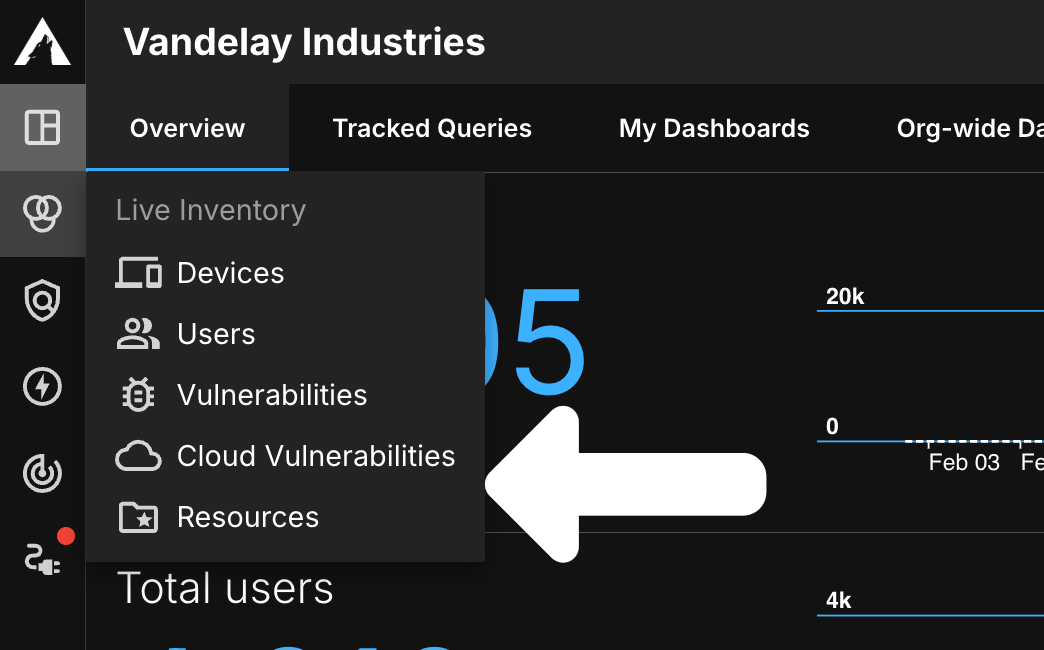
Cloud Vulnerabilities Live Inventory
The Cloud Vulnerabilities Live Inventory page provides an overview of all of the cloud vulnerabilities identified by your CSPM tools. This page functions very similarly to other Live Inventory pages in the Aurora ASM platform. It can be used to view data about cloud vulnerabilities such as their risk severity and the entities impacted by them.
Cloud Vulnerabilities Inventory Totals
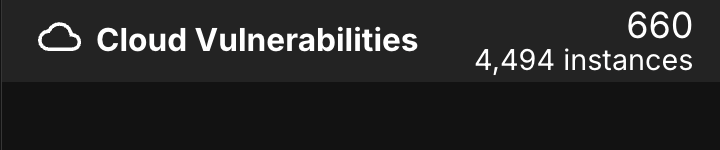
In the top-left corner of the Live Inventory page, you will notice that there are two totals listed for your unified cloud vulnerabilities. The top number represents the total number of distinct vulnerabilities while the bottom number represents the total number of vulnerability instances.
- Distinct Vulnerabilities – A unique vulnerability, counted once regardless of how many assets it affects.
S3 Bucket should have all 'Block Public Access' settings enabledis one distinct vulnerability whether it impacts one resource or 500. Each distinct vulnerability is only counted once and is included in the Cloud Vulnerability Inventory List. - Vulnerability Instances – Individual occurrences of a vulnerability on specific assets. If
S3 Bucket should have all 'Block Public Access' settings enabledis impacting 50 resources, that's 50 instances. Each instance of a distinct vulnerability is factored into the total vulnerability instances count, resulting in a total that is often much higher than the distinct-vulnerability total.
Cloud Vulnerabilities Inventory List
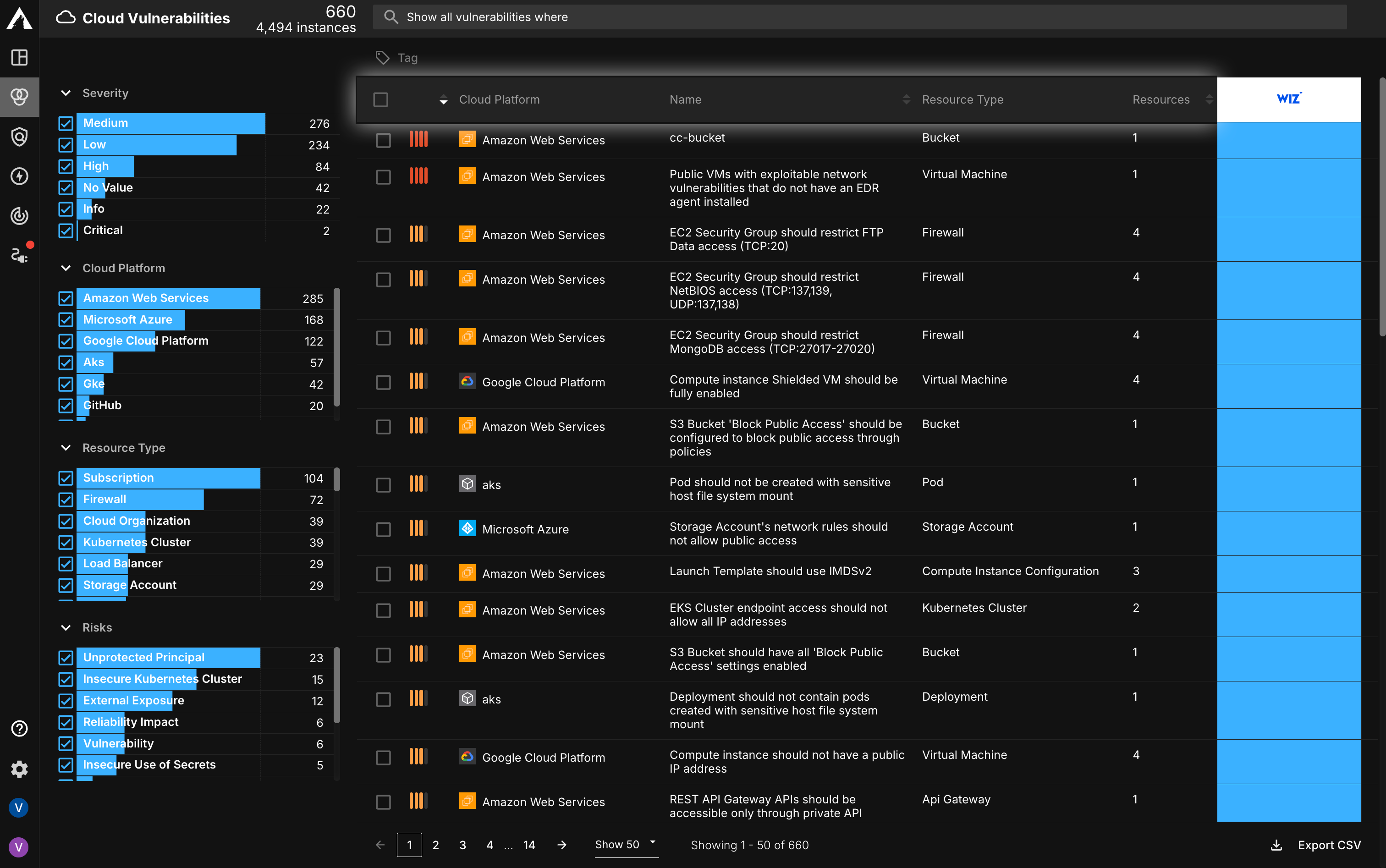
The Inventory List provides real-time insight into all the cloud vulnerabilities reported by your Source integrations. Each row represents a unique cloud vulnerability identified in your environment.
An overview of your cloud vulnerability prioritization metrics is displayed in the columns. This includes:
- Serverity Score – The overall risk a cloud vulnerability poses to your environment
- Cloud Platform – The cloud platform associated with a cloud vulnerability
- Name – The name of the cloud vulnerability
- Resource Type – The type of resource that is being impacted by a cloud vulnerability (e.g. Virtual Machine)
- Resources – The number of resources impacted by a cloud vulnerability
Select a column header with a sort icon to order the list by that column.
Expanded Row Details
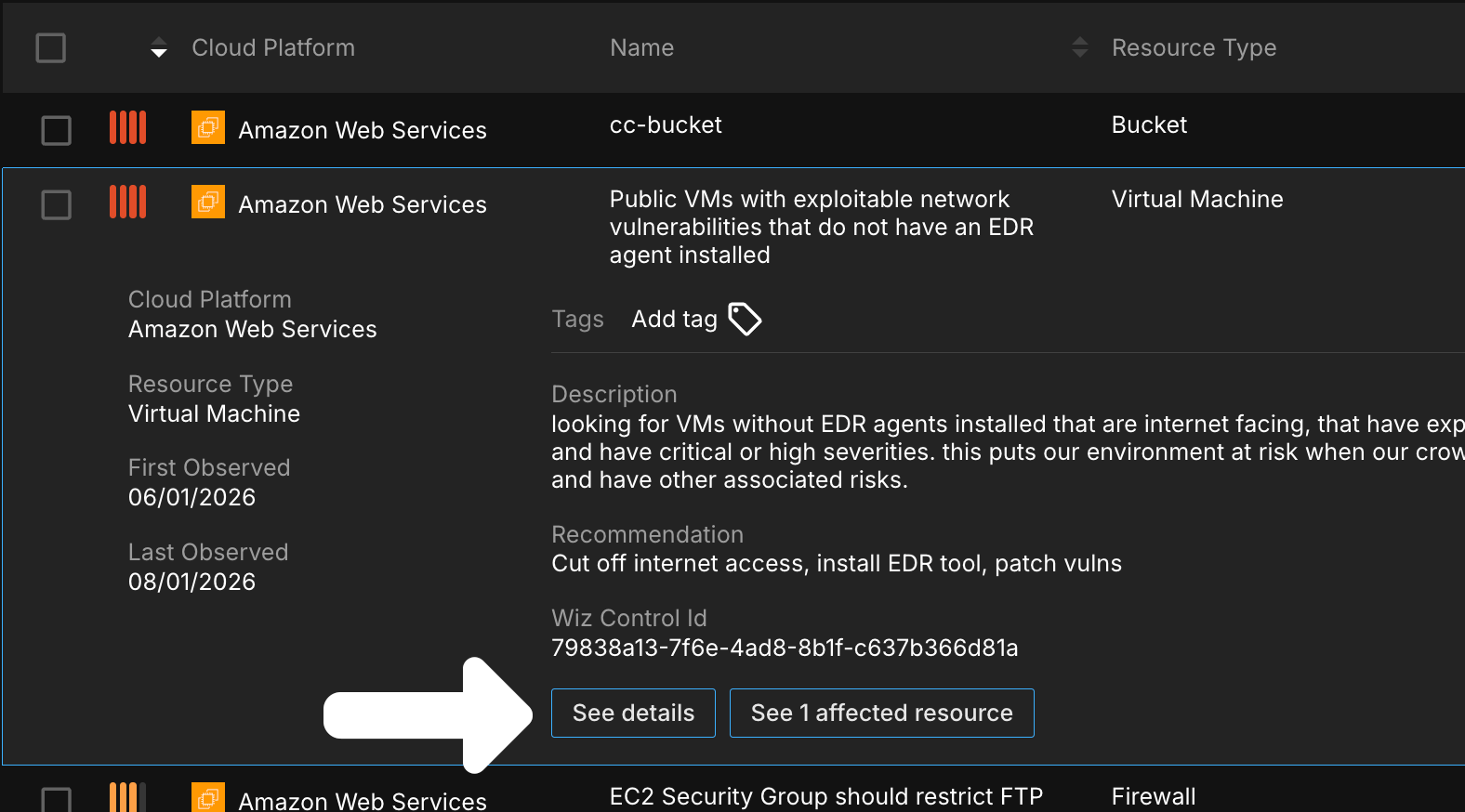
Select a row to reveal more information about that cloud vulnerability:
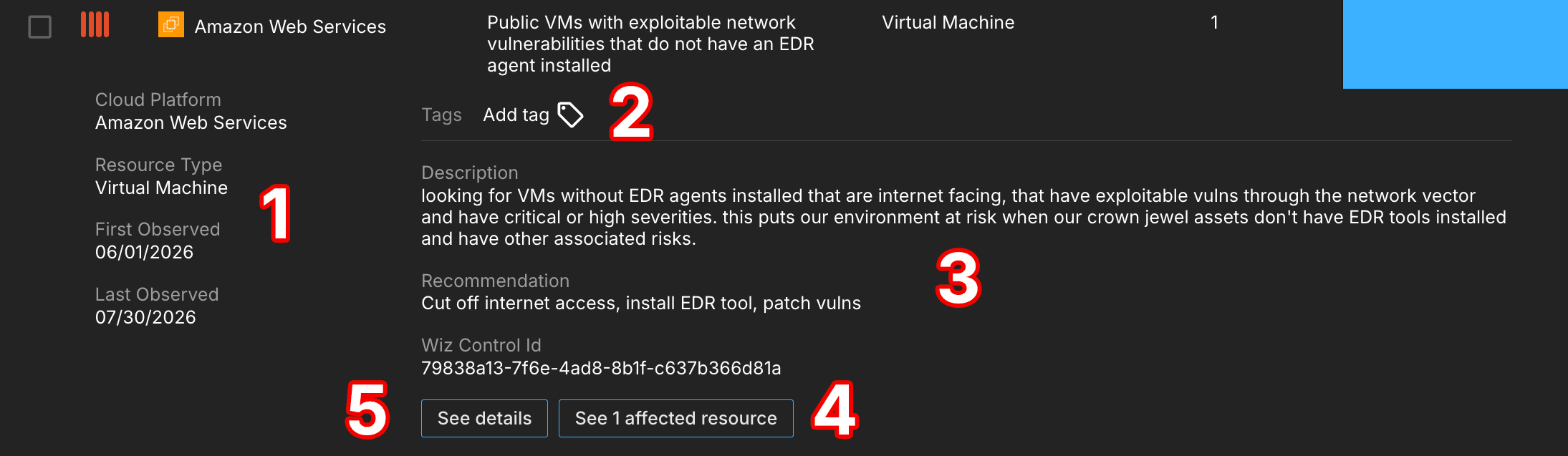
- The left column provides information about the Cloud Platform and Resource Type associated with a cloud vulnerability. It also provides information about the first and last time the vulnerability was observed in your environment.
- The Tags section allows you to manage what tags are associated with a cloud vulnerability. Select Add tag to apply a new one.
- Information about cloud vulnerabilities provides you with a description of the vulnerability and a solution for remediating it.
- To view resources impacted by a cloud vulnerability, select the See affected resources button.
- Select the See details button to access a cloud vulnerability's Cloud Vulnerability Details page.
Resource Live Inventory
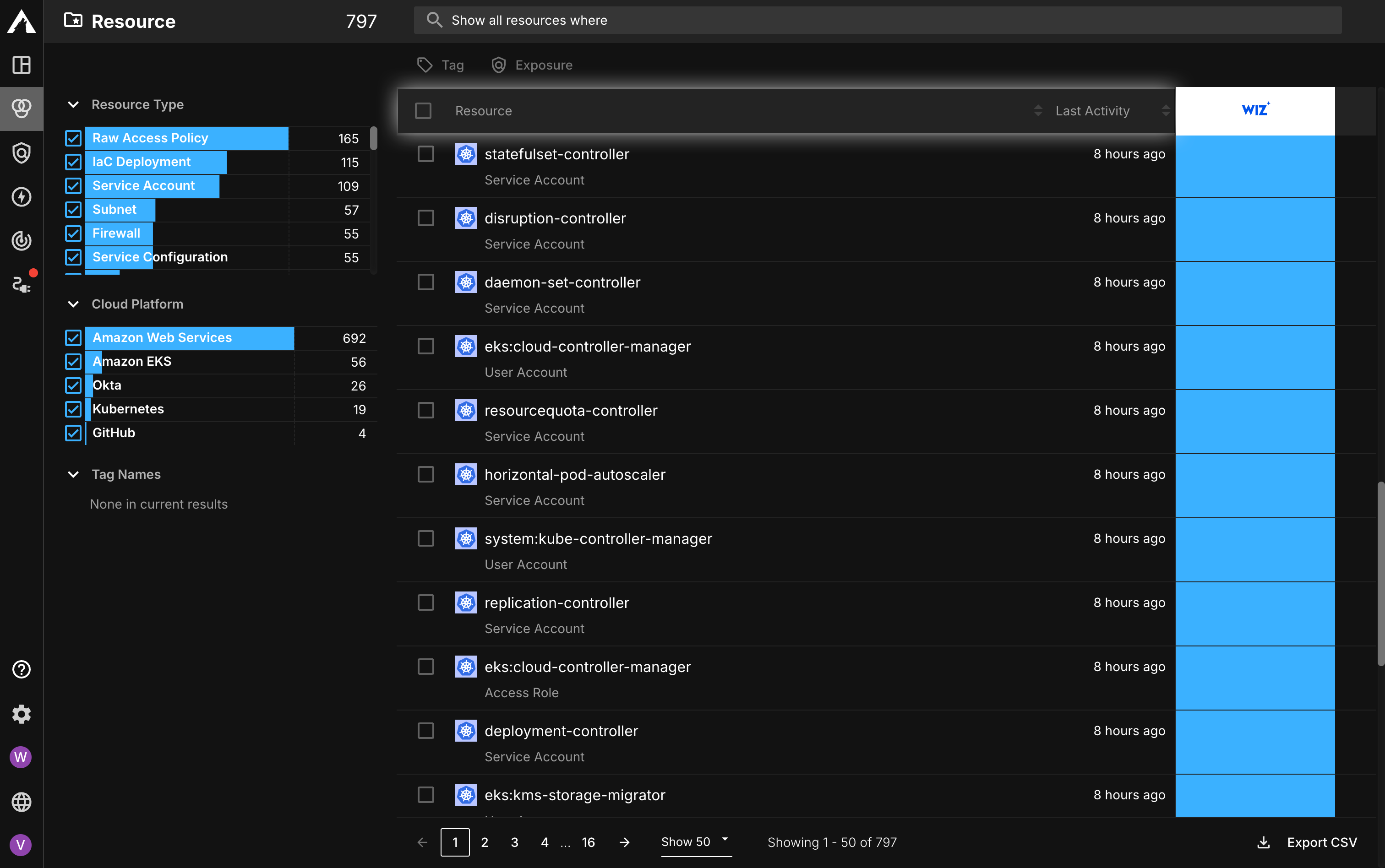
The Resource Live Inventory page provides an overview of all of the resources reported by your CSPM tools. It can be used to view data about a resource such as its resource type, the cloud platform hosting it, and the platform account it belongs to.
Unlike the Cloud Vulnerabilities Live Inventory page, this page displays a single total in the top-left corner next to the Resource label. This number represents the total number of unified resources in your environment.
Resource Inventory List
The Inventory List provides real-time insight into all the resources identified with vulnerabilities reported by your Source integrations. Each row represents a unique resource identified in your environment.
The columns display the following:
- Resource – The name of the resource, with its Resource Type displayed beneath it (e.g. Service Account)
- Last Activity – The most recent activity observed on a resource
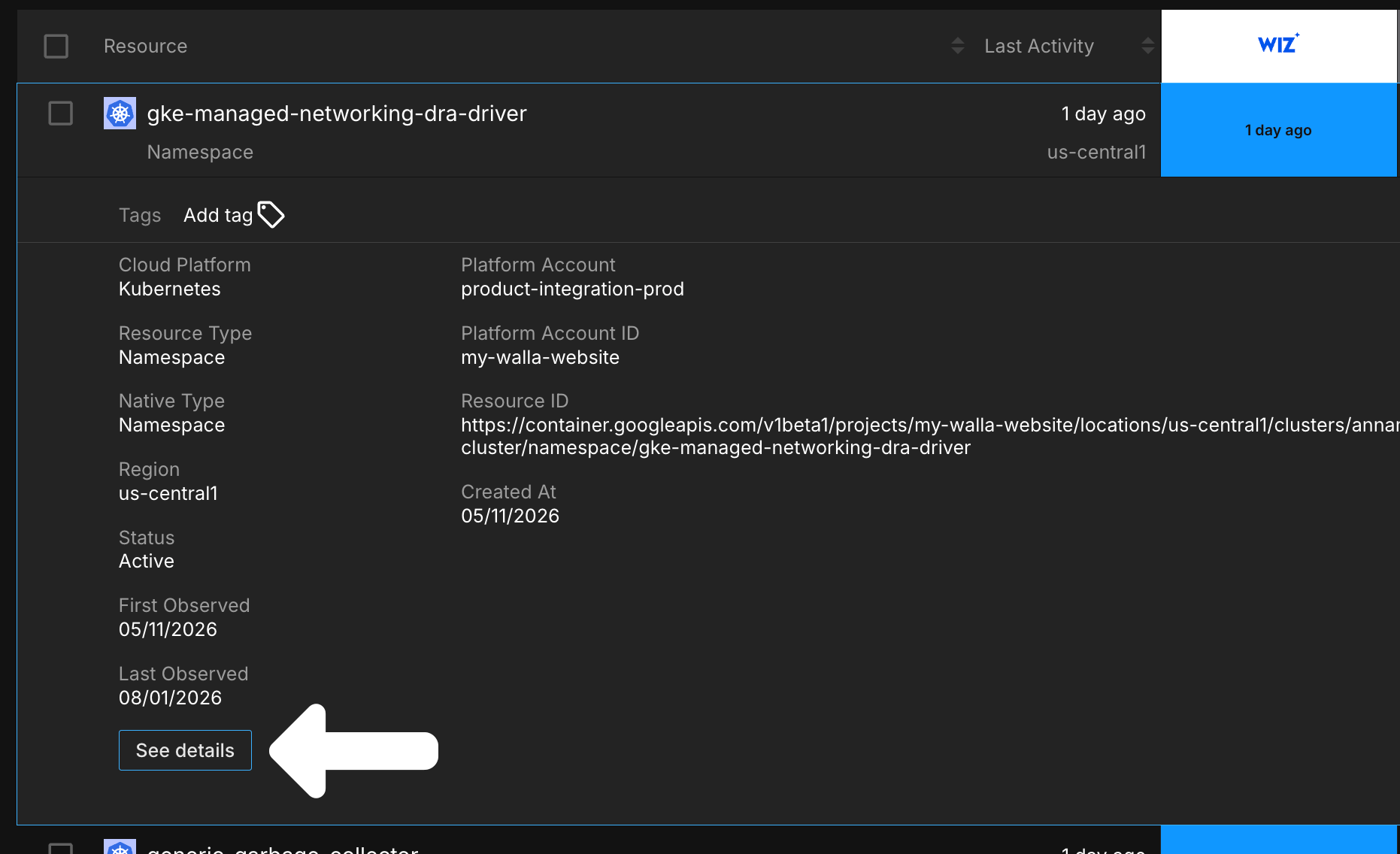
Select a column header with a sort icon to order the list by that column. Any tags applied to a resource are displayed within its row.
Expanded Row Details
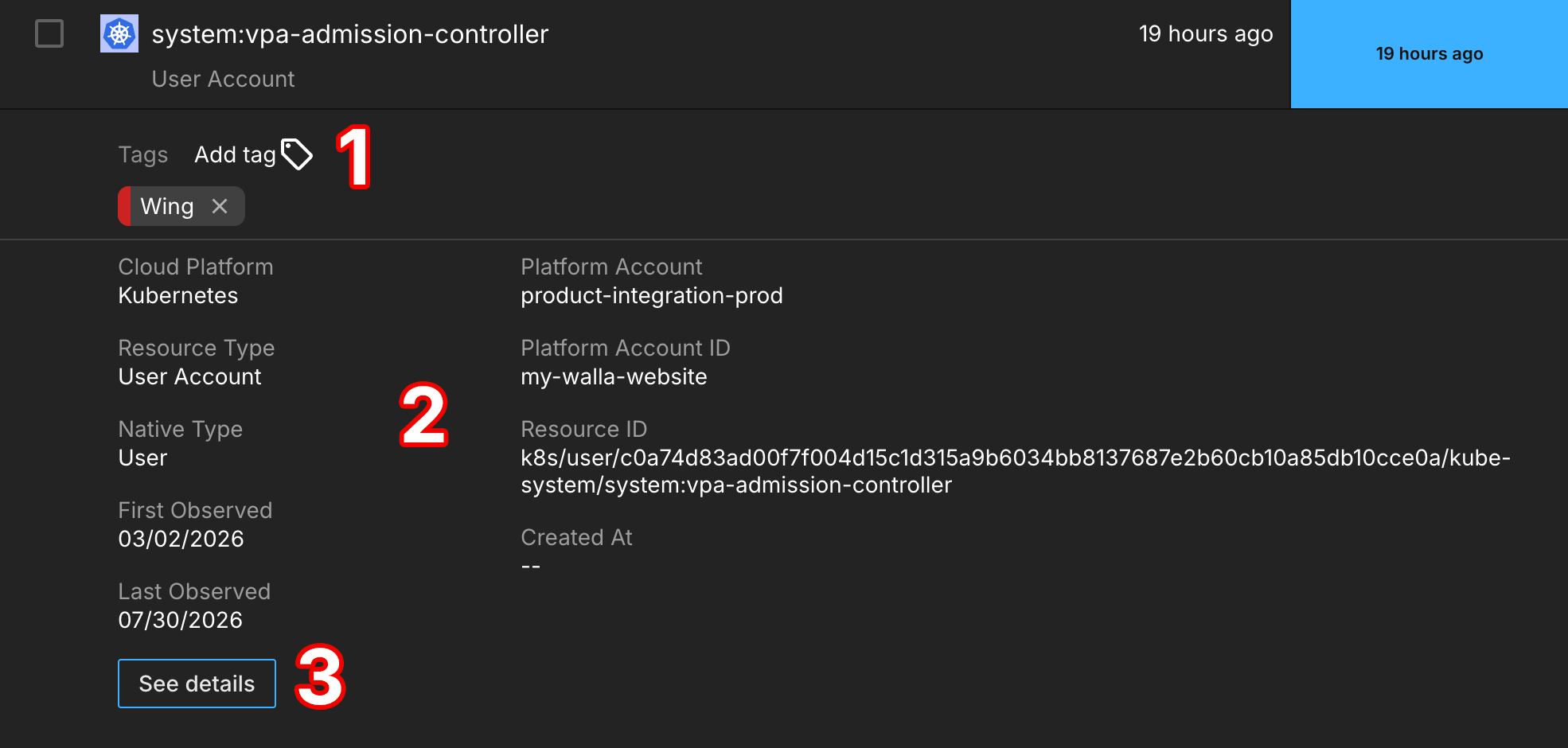
Select a row to reveal more information about that resource:
-
The Tags section allows you to manage what tags are associated with a resource. Select Add tag to apply a new one.
-
The expanded row also displays attribute information about a resource, such as its Cloud Platform, Resource Type, and when it was first and most recently observed in your environment.
-
Select the See details button to access a resource's Resource Details page.
Filters
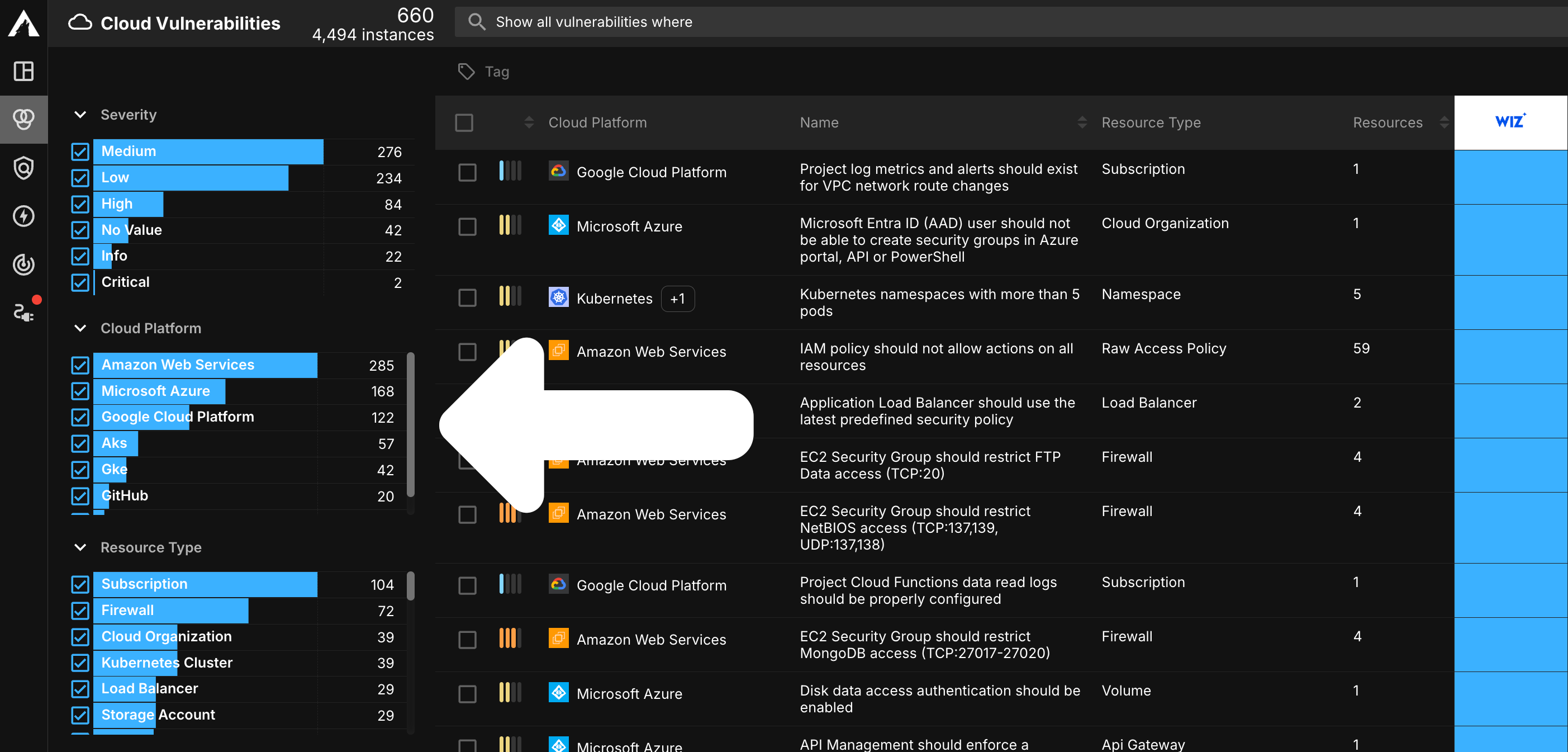
Like other Live Inventory pages, these pages offer Filtering tools to help you identify specific assets.
Query Builder
The Query Builder is a powerful tool that allows you to search for specific cloud vulnerabilities and resources using criteria defined in a query associated with any other asset attribute. For example, you may wish to run a query that displays Critical cloud vulnerabilities impacting Amazon Web Services resources. Regardless of what query you are running, the query builder is the easiest way to gain insight into how cloud vulnerabilities are impacting specific segments of your cloud environment.

CSPM Details Pages
Cloud Vulnerability Details
In addition to the information found on the Cloud Vulnerabilities Live Inventory page, you can also view additional information about a cloud vulnerability on its Cloud Vulnerability Details page.
Accessing the Page
This page can be accessed by selecting a cloud vulnerability's name or the See details button in its dropdown.
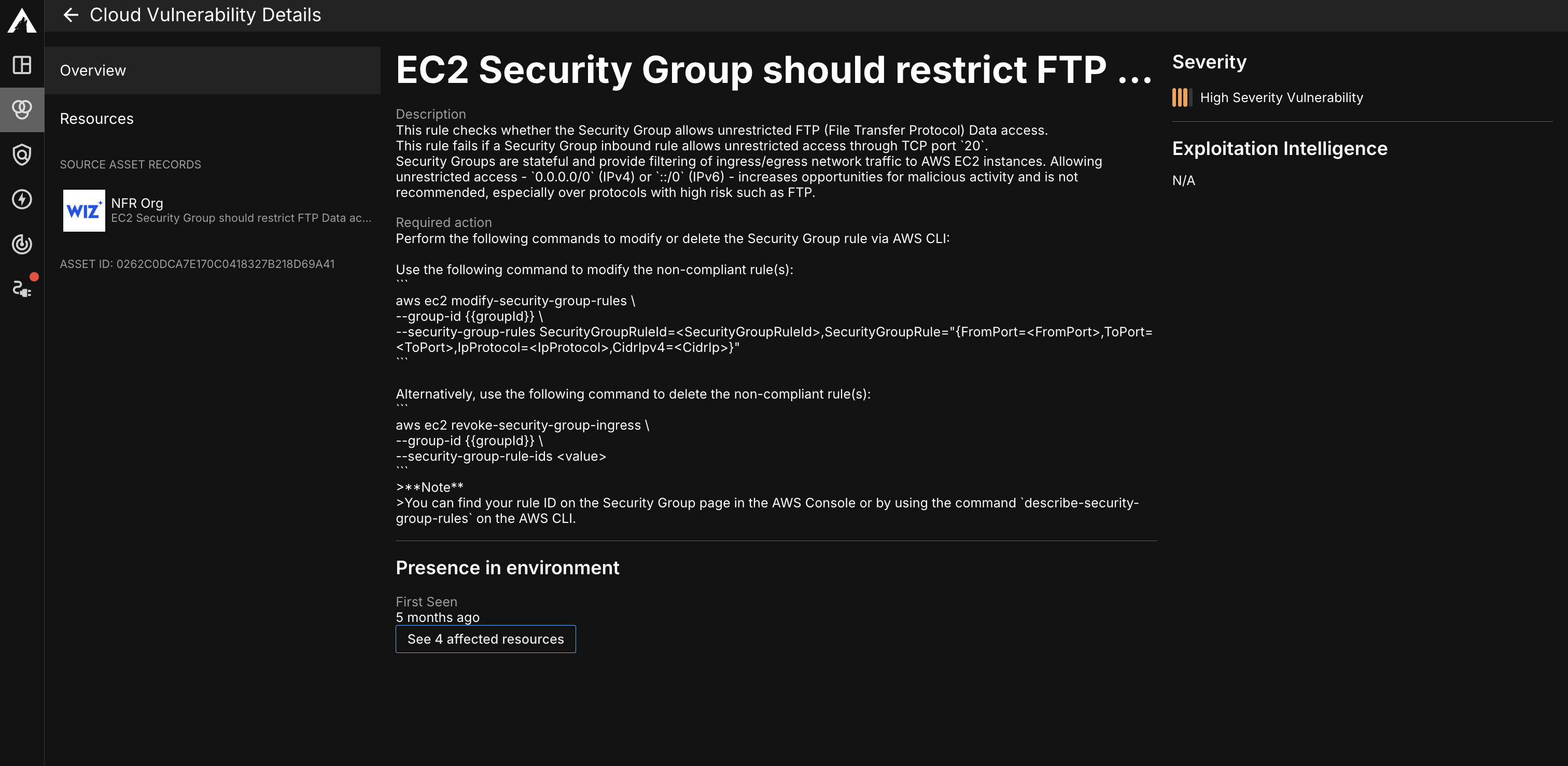
Details Overview
The Cloud Vulnerability Details page provides additional information about the cloud vulnerability, such as a description of it and the required action to remediate it. You can also find information about its presence in your environment such as the number of resources impacted by it as well as when it was first seen.
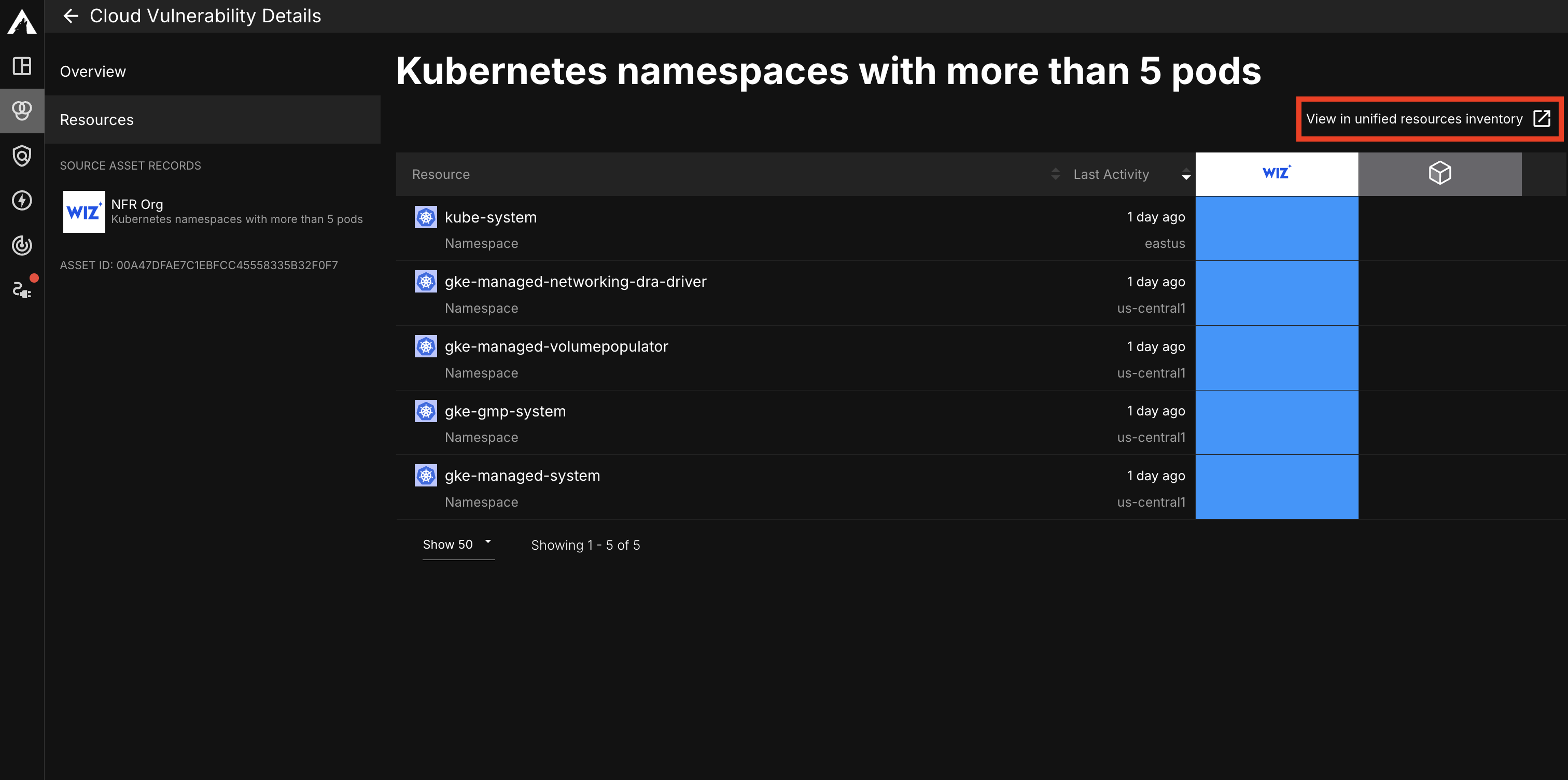
Affected Resources
Click the Resources tab on the left menu to view all resources affected by a cloud vulnerability. From there, you can select the View in unified resources inventory button to view all resources with the cloud vulnerability on the Resource Live Inventory page.
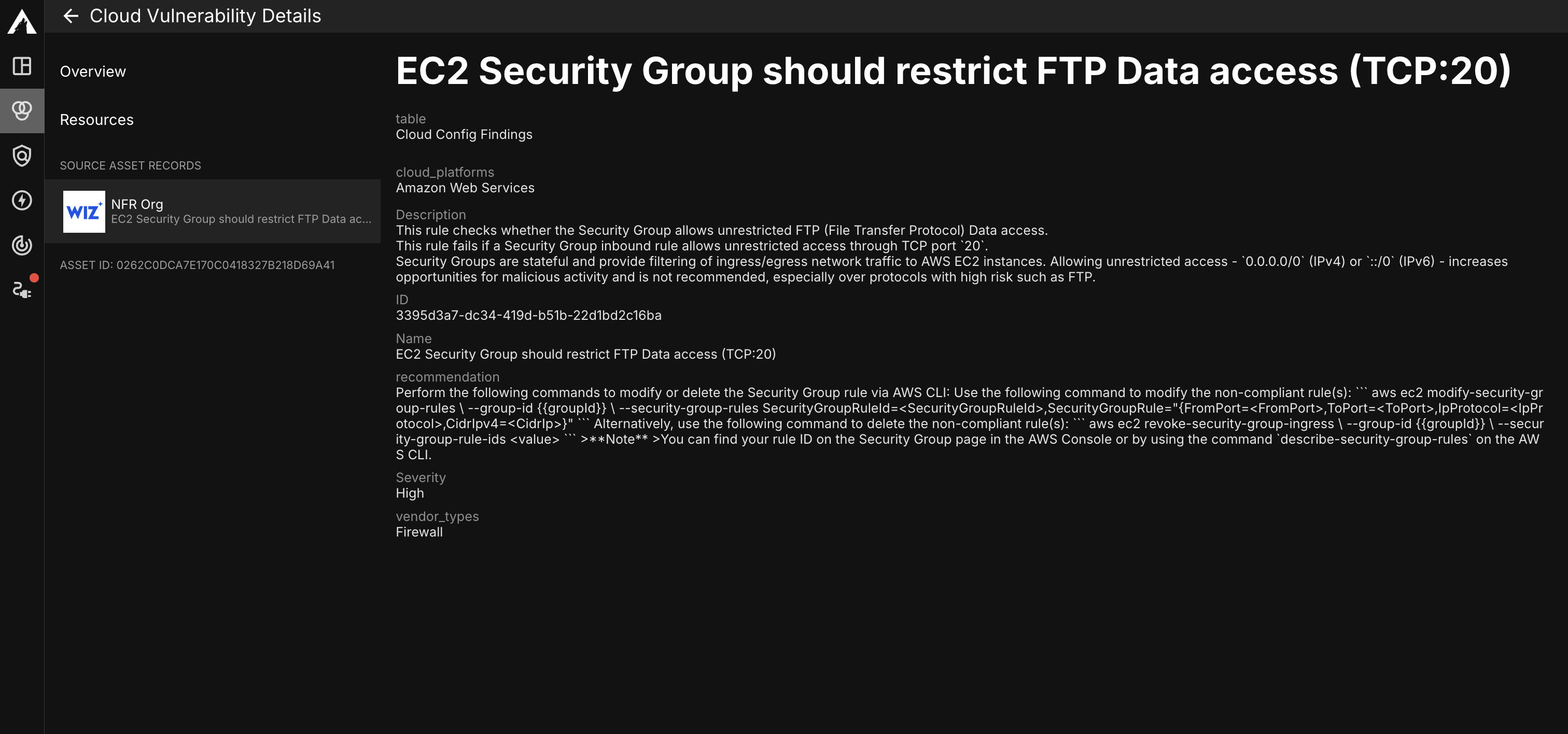
Source Details
On the left menu of the page, you can view information about a cloud vulnerability as it is reported by each of your Sources. Select a Source Asset Record to view data reported directly from a specific Source.
Resource Details
In addition to the information found on the Resource Live Inventory page, you can also view additional information about a resource on its Resource Details page.
Accessing the Page
This page can be accessed by selecting a resource's name or the See details button in its dropdown.
Details Overview
The Resource Details page opens on the Overview tab, which displays a resource's tags, its presence in your environment, and its attributes.
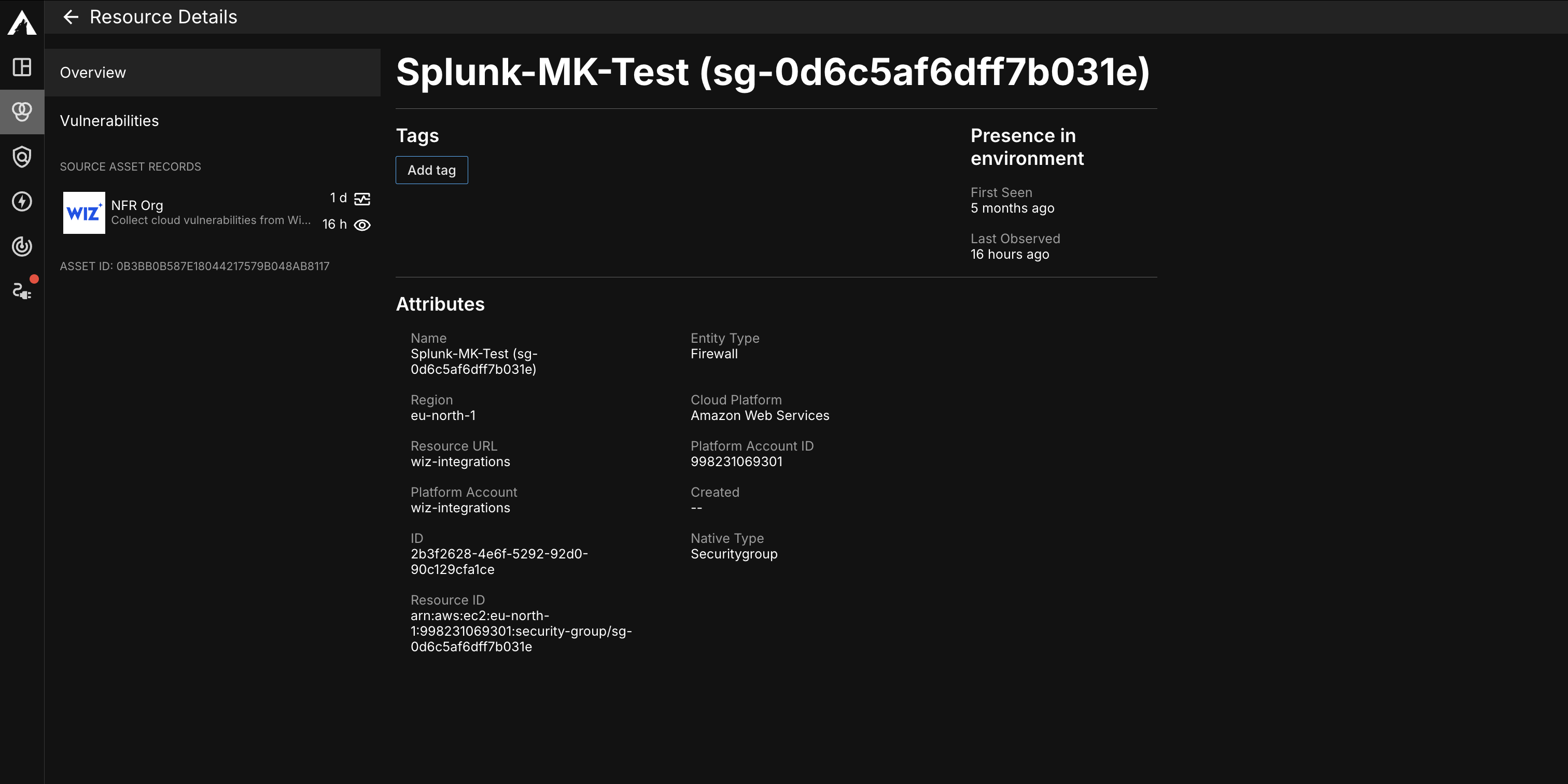
The Tags section allows you to manage what tags are associated with a resource. Select the Add tag button to apply a new one.
The Presence in environment section displays when a resource was First Seen in your environment and when it was Last Observed.
The Attributes section displays attribute information reported for a resource, such as its Name, Cloud Platform, and Platform Account.
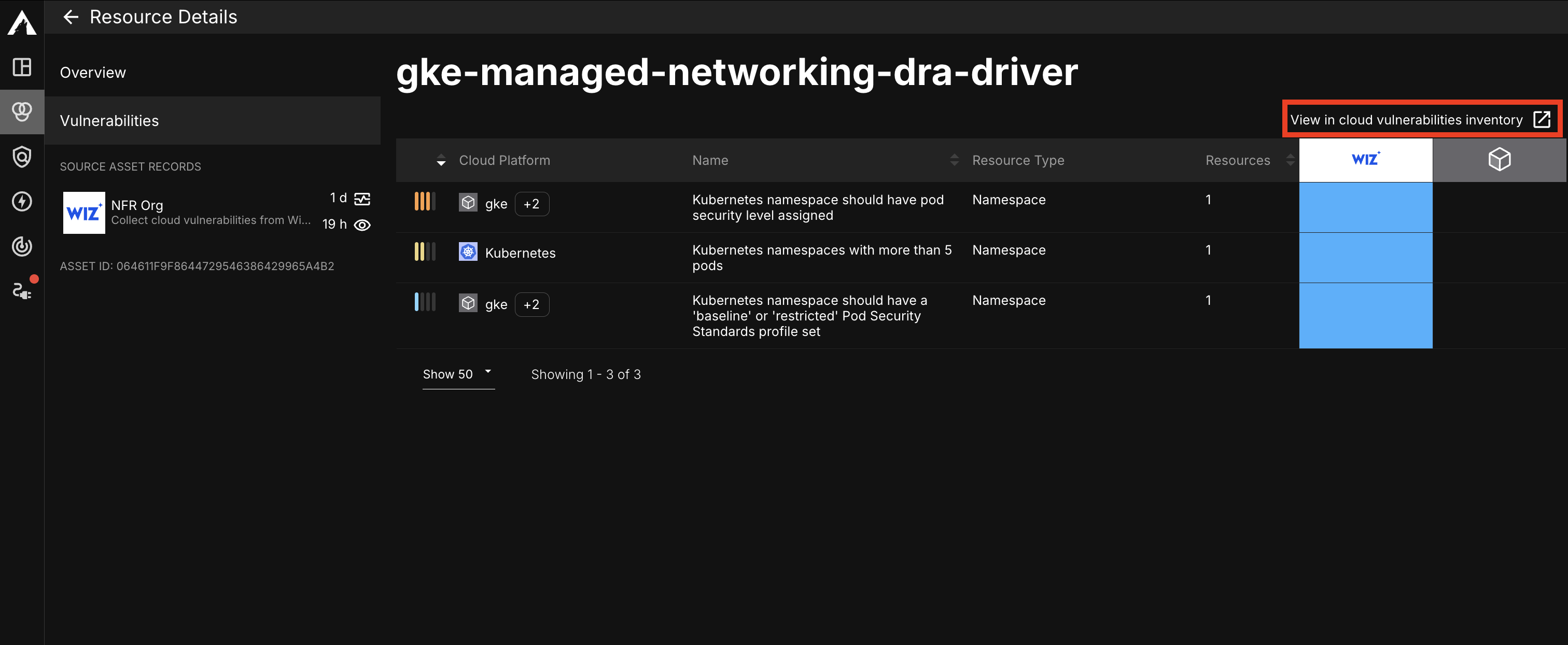
Associated Vulnerabilities
The Vulnerabilities tab provides you with a list of all cloud vulnerabilities. Click on a cloud vulnerability's row to expand it and reveal more information about it. You can also select the View in cloud vulnerabilities inventory link to view all of your cloud vulnerabilities on the Live Inventory page.
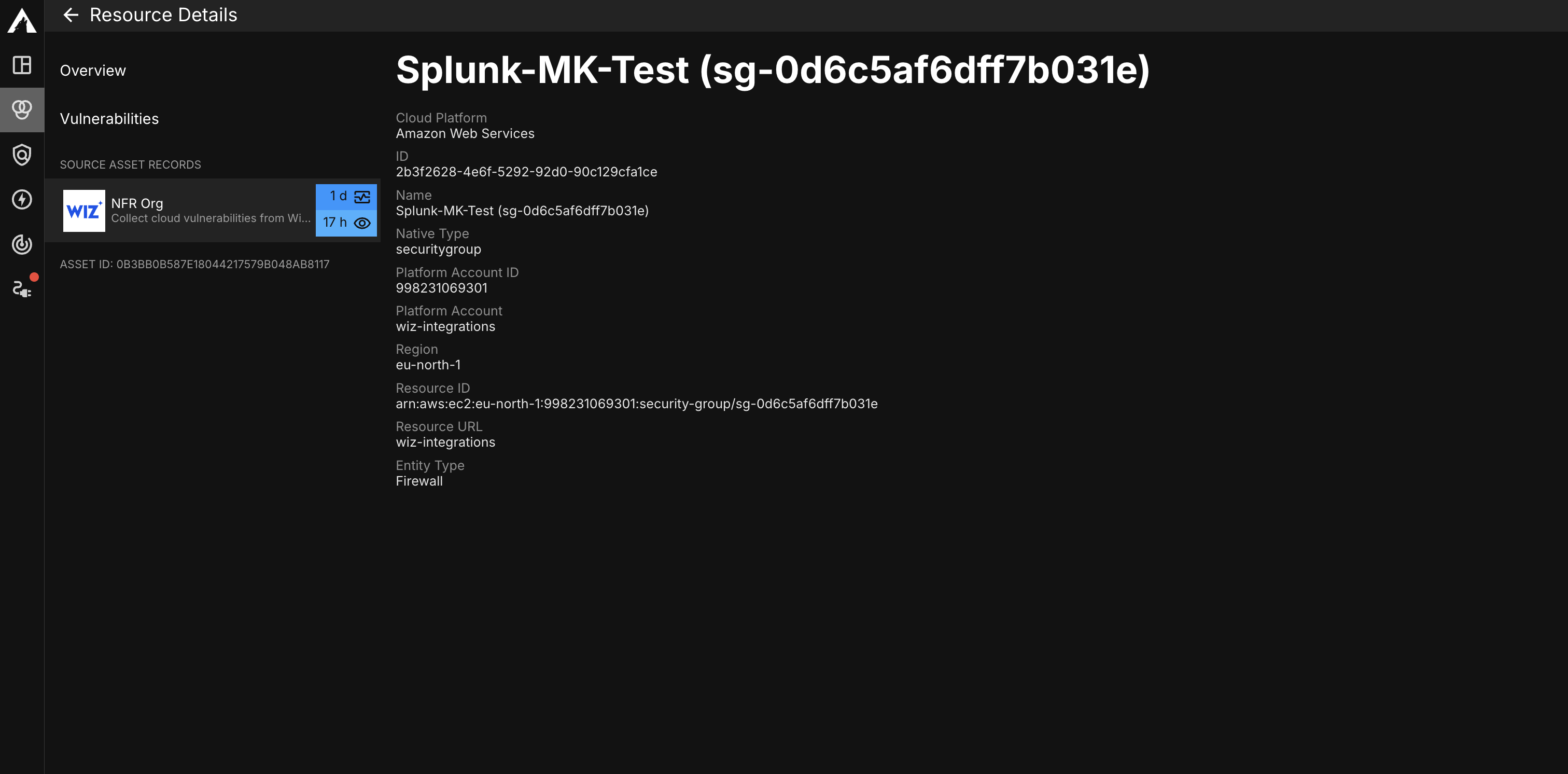
Source Details
On the left menu of the page, you can view information about a resource as it is reported by each of your Sources. Select a Source Asset Record to view data reported directly from a specific Source.
Source Inventory
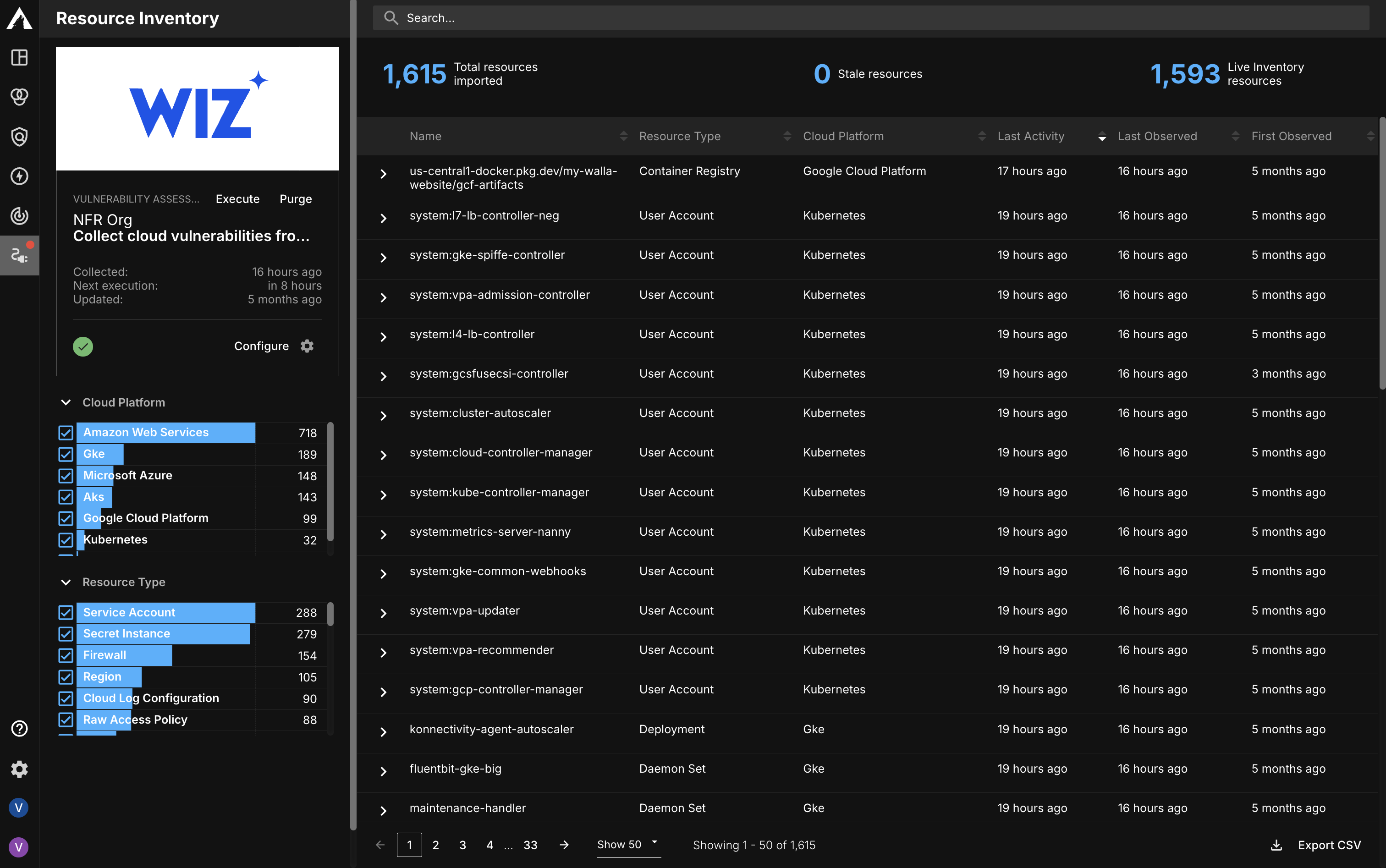
The Cloud Vulnerabilities and Resource Source Inventory pages are both Source Inventory pages. These pages are integration-specific and only display data from a single CSPM Source integration-type. Source Inventory pages can be used to search for and monitor asset data associated with a Source. Additionally, you can also review information about a CSPM Source's health (Status) and reconfigure it as-needed.
Updated 3 months ago