
Palo Alto Cortex Xpanse
About Cortex Xpanse
Palo Alto Cortex Xpanse is a global attack surface management platform. We build an authoritative system of record for organizations' global internet assets to reduce your mean time to inventory (MTTI).
Why You Should Integrate Cortex Xpanse
Cortex Xpanse provides a single source of truth for all public-facing assets with an outside-in view of an enterprise’s attack surface, and synchronizes that data across other existing tools. Aurora ASM Asset Intelligence Platform delivers a single source of truth of an enterprise’s assets with an inside-out view of the organization.
With Cortex Xpanse integration to Aurora ASM platform, IT and Security teams get access to the most comprehensive asset inventory data from a single console. Integrating Palo Alto Cortex Xpanse as an Aurora ASM source enables you to enrich Cortex Xpanse’s Cloud Resources data by correlating with the existing IT / Security solutions’ telemetry in your environment.
The Data We Collect and How We Use It
The table below lists the fields we collect from Tenable.sc and how they map to the fields in our Aurora ASM platform. This data is only used internally; we do not share it with any parties outside of Arctic Wolf Networks. Refer to our privacy policy for details.
| Palo Alto Cotex Xpanse Field | Aurora ASM Field |
|---|---|
| Name | Hostname |
| IP Address | IP |
| Last Observed timestamp | LastUpdatedTime |
Integrate Palo Alto Cortex Xpanse
- Add a source: Follow our instructions to add an Aurora ASM source.
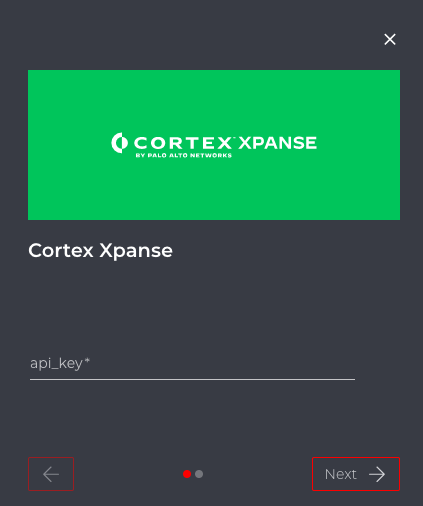
- Provide credentials: You'll be asked to provide source credentials that Aurora ASM will use to connect to Palo Alto Cortex Xpanse:
| Credential or Parameter | Description | Where You Can Find This Value |
|---|---|---|
| Cortex Xpanse API key | Used when calling this endpoint: GET /api/v1/idToken/ | API key is provided by your Technical Account |
If you encounter any errors, they are most likely related to incorrect credentials or insufficient permissions. Verify your work in step 2.
Contact Us
If you're having problems configuring an Integration, or if you've found something wrong in this document, please email us at [email protected].
Updated 6 months ago