---
updatedAt: 2026-05-14T20:36:40.000Z
agentTools:
projectIndex: https://docs.sev.co/llms.txt
---
# Telemetry Overview
# Overview
While the **Live Inventory** page provides a snapshot of the current state of your assets, the **Telemetry** page tracks assets at the event level and shows how their attributes have changed in the time leading up to that point.

***
# Telemetry Filters
On the left side of the page, there are several filters you can use to search for specific telemetry events.
* **Sources:** this filter allows you to include and exclude telemetry events from specific Integrations. For example, you may only wish to view telemetry events related to Crowdstrike.
* **Attributes:** this filter allows you to search for telemetry events involving changes to specific attributes. For example, using changes to an Integrations's **agent version** to determine if an asset is running the most up-to-date version of it.
* **Event Types:** this filter allows to include and exclude specific telemetry event types. For example, if you've recently configured a new Integration for your Organization, you may wish to filter for the `SourceMembershipAdd` event type.
Like the filters on the **Live Inventory** page, you can select the **Include** button (**+**) to *only* include assets falling under a specific filter category in your results and the **Exclude** button (**x**) to remove them from your results all together.
## Event Types
* **`AttributeValueAdd`** – An **attribute value** has either been added or updated. *(i.e. an updated**agent version** being added after a Source update)*
* **`AttributeValueRemove`** – An **attribute value** has been removed. Typically, this happens before an attribute value is updated.
* **`SourceMembershipAdd`** – An **asset** has been observed by a **Source** for the **first time**.
* **`SourceMembershipRemove`** – An **asset** is no longer being observed by the **Source**. *(i.e. a Device no longer being observed by Microsoft AD after it has been uninstalled)*
***
# Event History
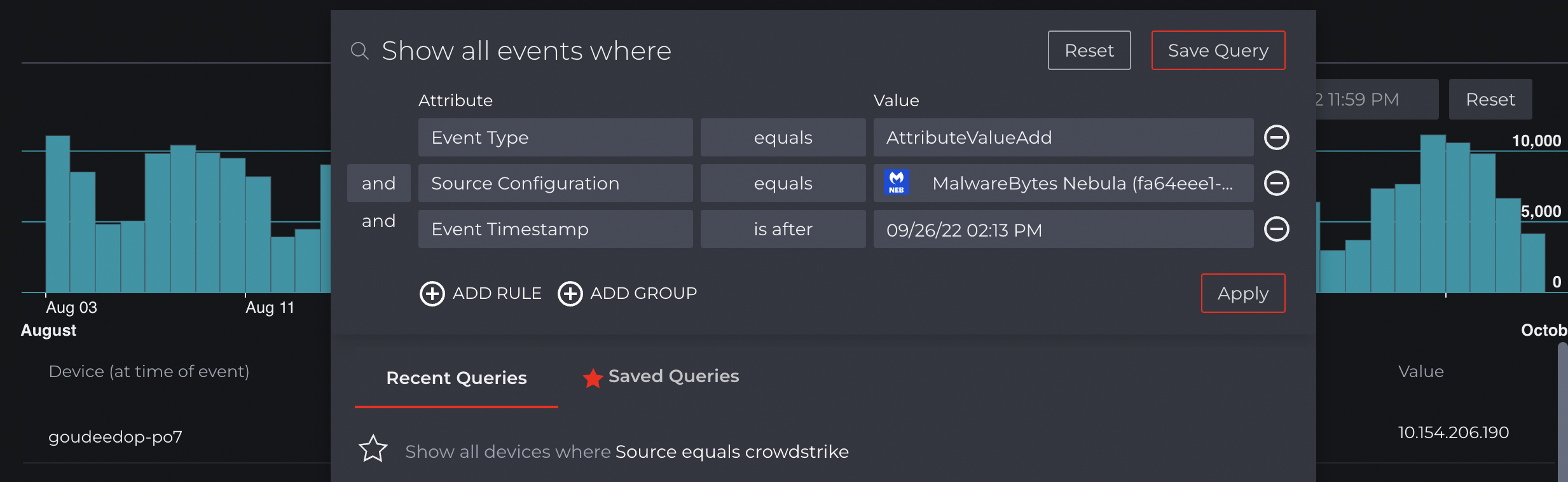
The right side of the page provides a visual representation of events over time and is responsive to telemetry-filtering selections and queries. Use the **date picker** or click and drag over a specific section of the **Event Bar Graph** to view events within a specific time frame. All events meeting the conditions you've established will be listed in the **Event List**

***
# Telemetry Queries
Like the **Live Inventory** page, the Telemetry page also features a **query builder** that can be used to run complex searches that may not be accomplishable using the telemetry filtering tools. Click here to learn more.