---
updatedAt: 2026-05-01T03:31:26.000Z
agentTools:
projectIndex: https://docs.sev.co/llms.txt
---
# Monitoring Integration Health
# Overview
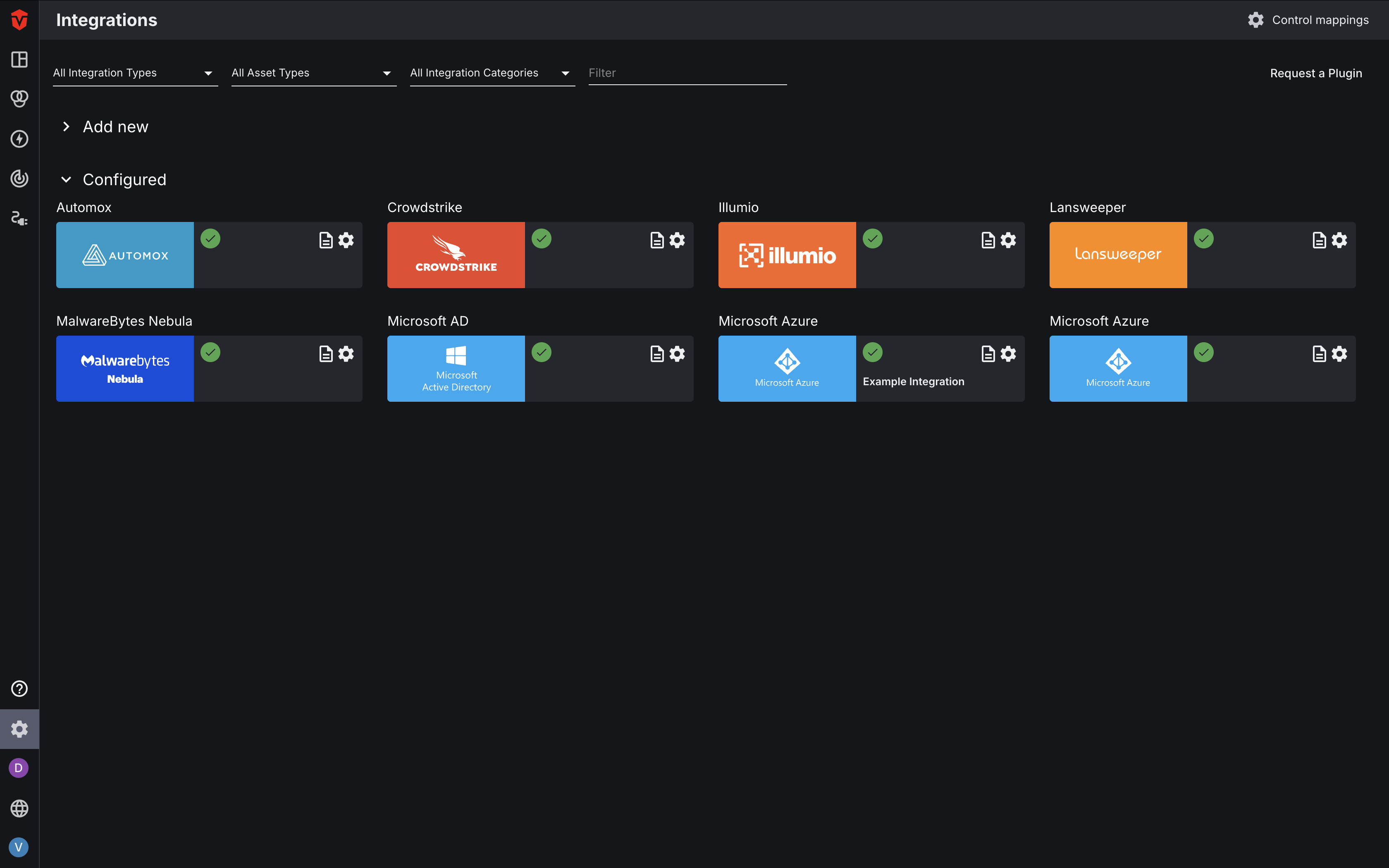
Information about the health and status of your Integrations is located on the **Integrations** page, which can be accessed by selecting the **Admin** icon ( ) on the **Navigation bar** and clicking the **Integrations** link from the dropdown.
***
# Configuration Status
After an Integration is configured, it is important to check on its **Configuration Status** periodically to ensure that it is in an **Active** status ( ) and consistently syncing data to your Aurora ASM organization. An Integration's configuration status is displayed in the bottom-left corner of its **tile** under the **Configured** section of the Integrations page.
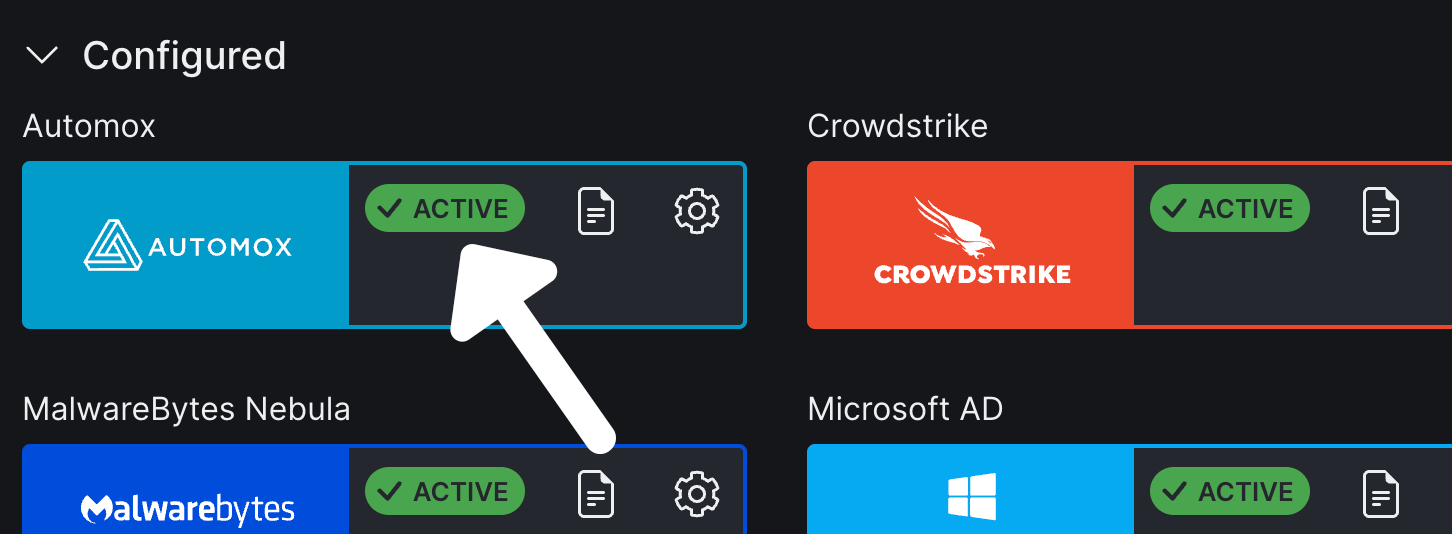
**Integrations can be in the following statuses:**
| Status | Definition |
| :-----------------------------------------------------------------------------------------------------------------------------: | :-------------------------------------------------------------------------------- |
|
**Active** | The Aurora ASM Integration is operating normally and collecting data. |
| 
**Error** | Aurora ASM had an error connecting with the Integration. Review the **Logs** tab. |
| 
**Disabled** | The Integration has been disabled. |
***
# Sync Logs
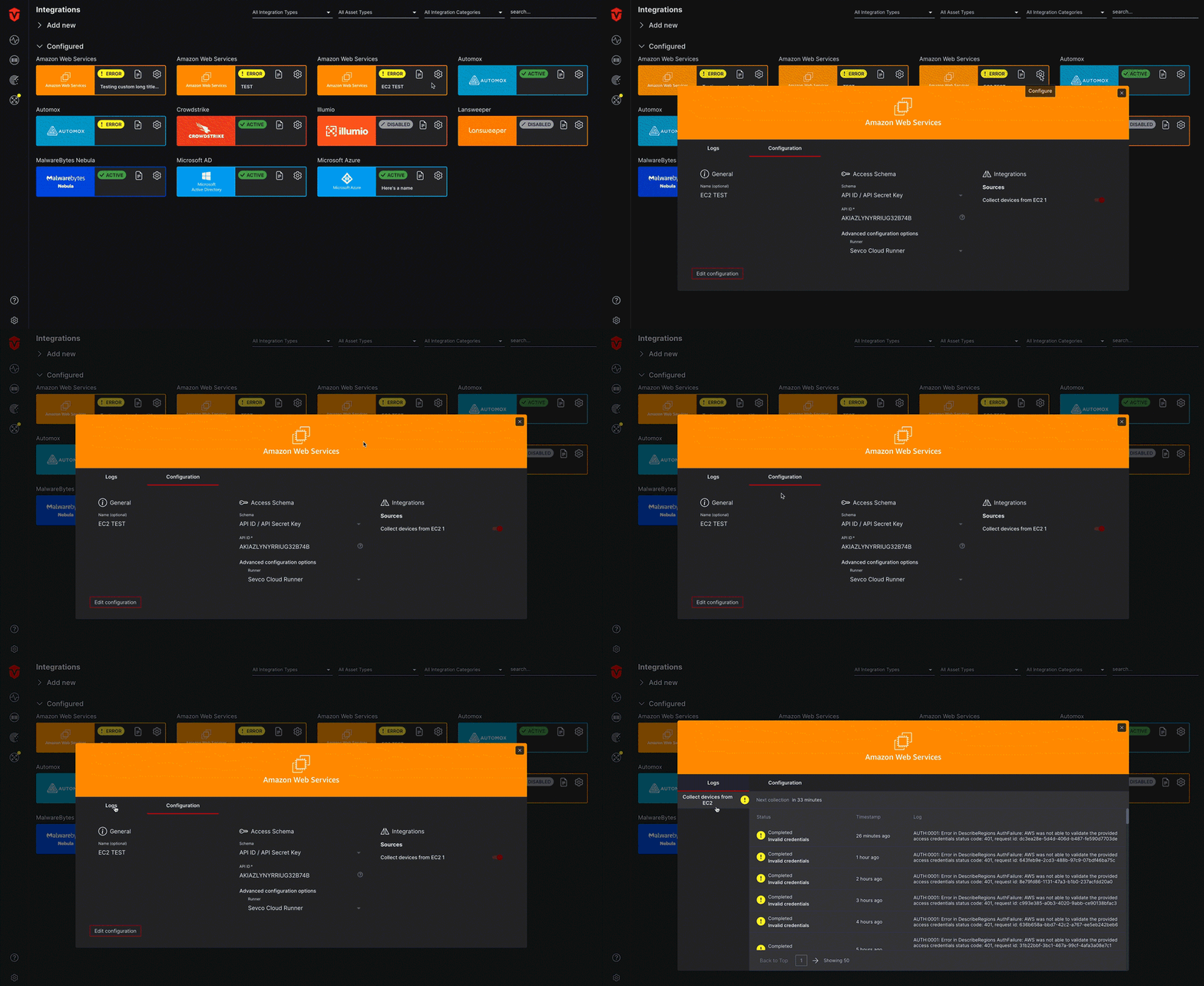
In addition to checking the configuration status of your Integrations, it is also important to make sure that each Integration is syncing properly, on a consistent basis. If an Integration is in an **Error** status (), we recommend reviewing the **Logs** tab of its **configuration panel** to identify any sync errors that may be causing the issue.
## Sync Statuses
The **Logs** tab also provides information about upcoming collection times as well as a **sync statuses** during data collection.
* **Device** and **User** data is collected **every hour**
* **Software** data is collected every **24 hours**
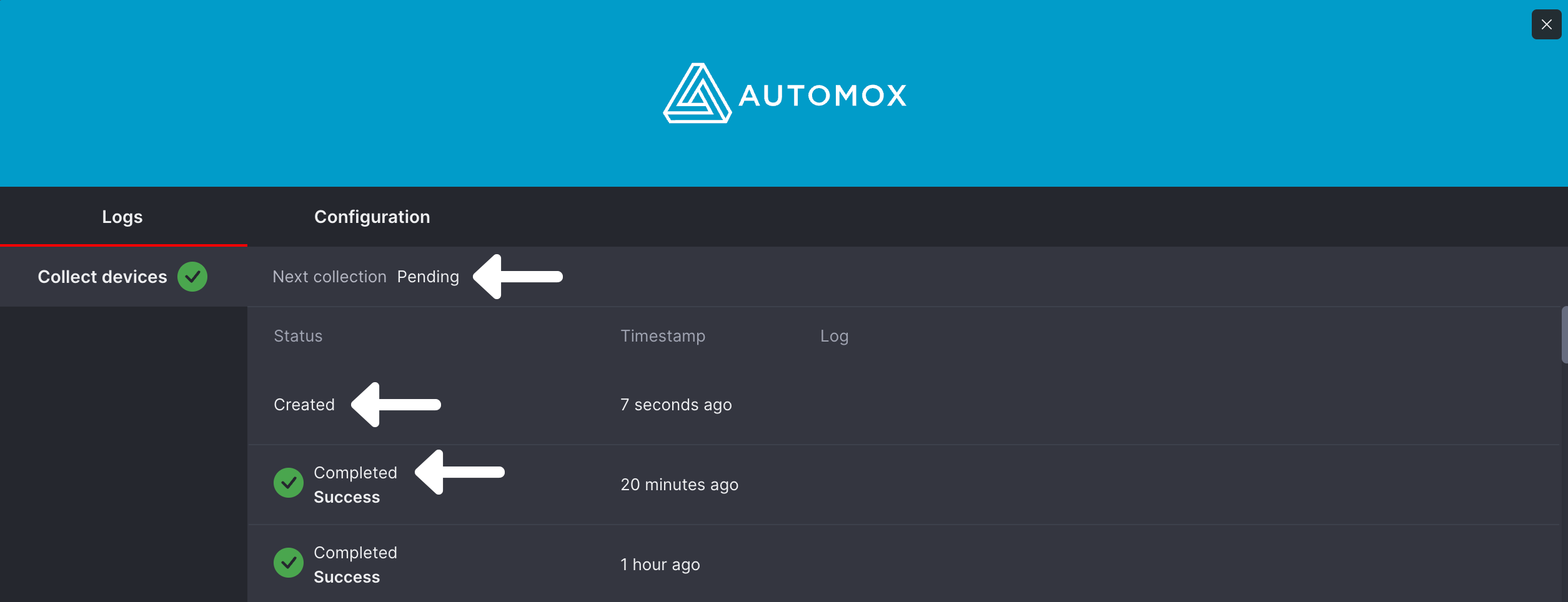
**Log entries can be in the following statuses:**
| Status | Definition |
| :-----------: | :-------------------------------------------------------------------------------------------------------------------------------------------------------------------- |
| **Created** | The Integration execution has been created and is currently queued. **Note:** if an Integration uses a **Runner**, this state will persist until it has "checked in." |
| **Pending** | The Integration execution has been picked up by a runner and is currently pending. |
| **Executing** | The Integration execution is currently communicating with the platform. |
| **Completed** | The execution is complete and no longer communicating with the platform. |
## Sync Errors
If one or more **sync logs** are in an **error** status:
* Verify that API permissions have been configured correctly for your **Source** integration
* There may be a temporary communications error between Aurora ASM and your Source integration
## Error Email Notifications
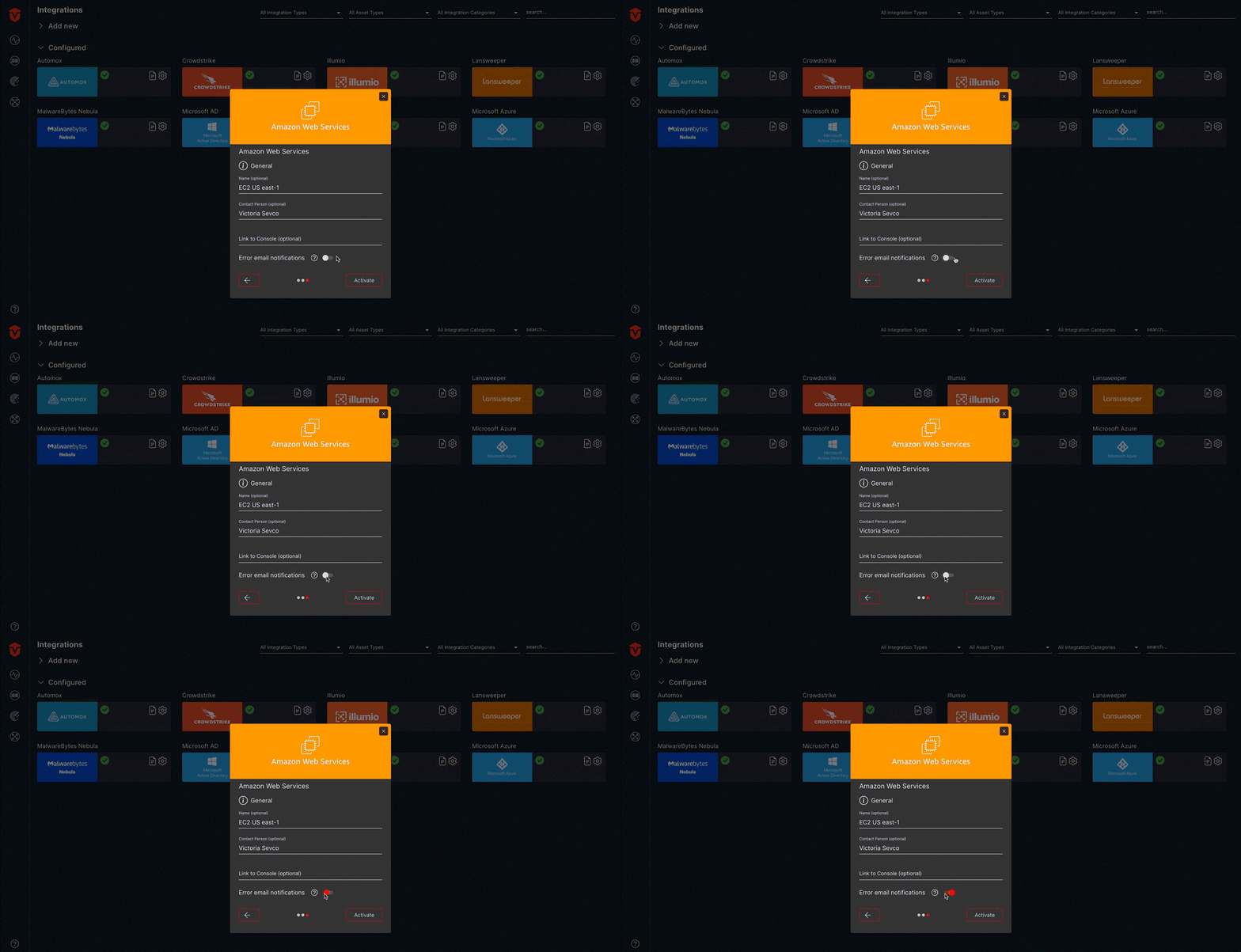
In addition to viewing sync statuses, you may also wish to set up sync **error email notifications**. When enabled, you will receive an email whenever an Integration has a **≥30% error rate** in a **24-hour** period.
These notifications can be enabled by selecting the **Error email notifications** toggle on the **Configuration** tab of the **configuration panel**.
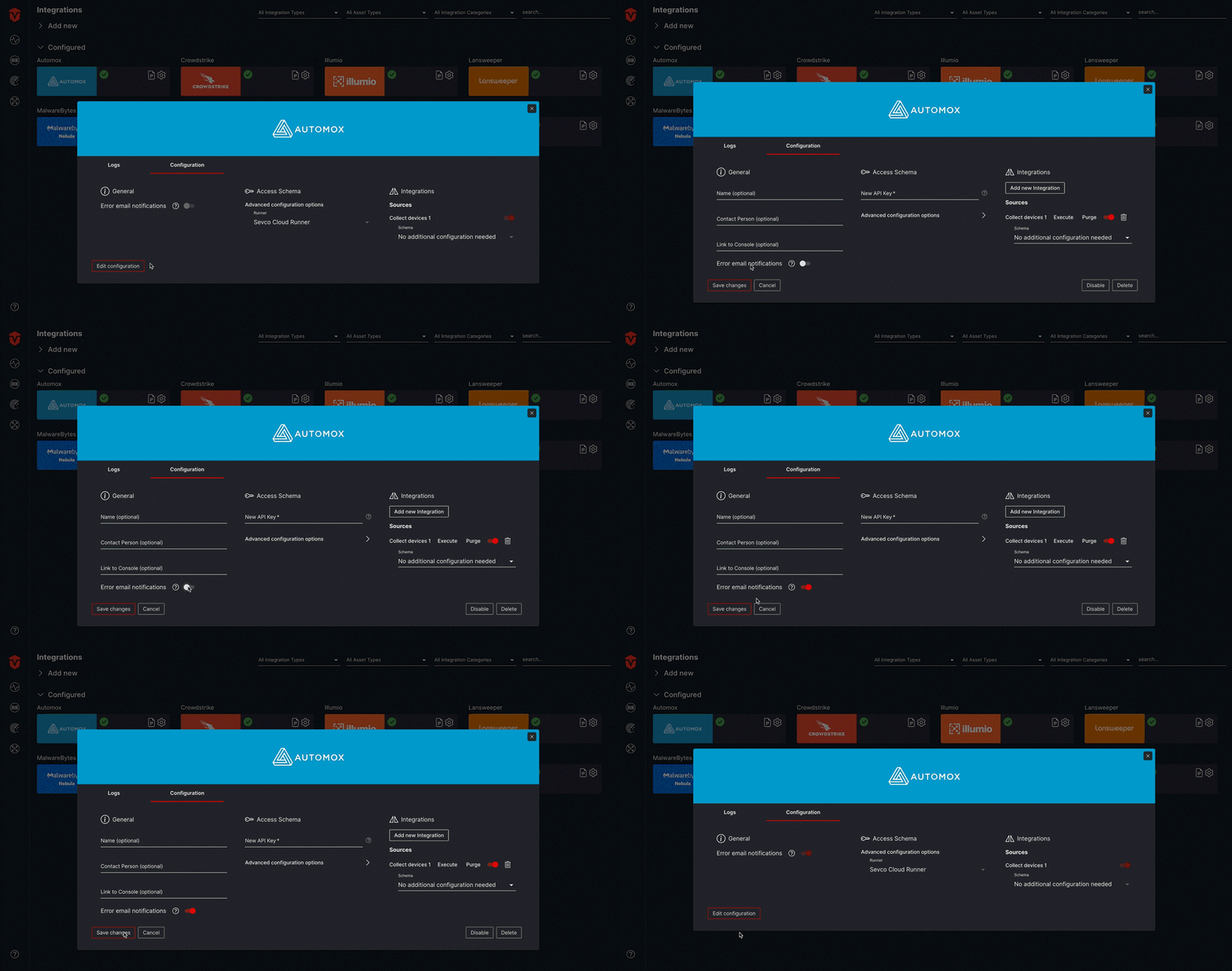
They can also be enabled on in **General** section during your initial integration configuration.